
To export non-client program measure data (By Measure):
- In the top navigation, click the user profile icon.
- Click Exports.

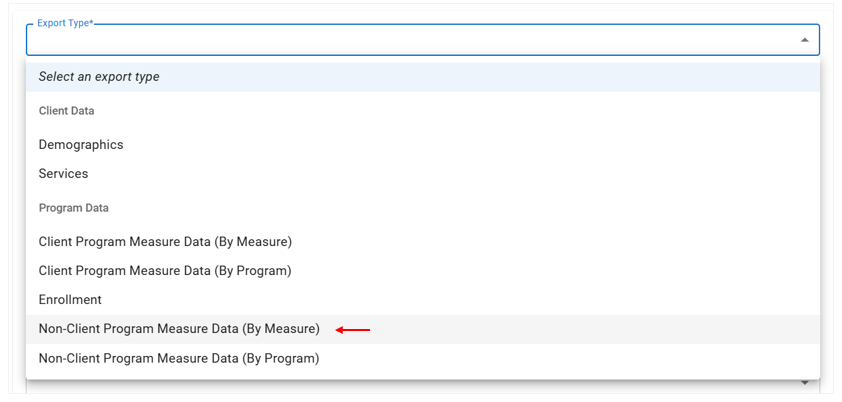
- Click the Export Type* drop-down menu, and then select Non-Client Program Measure Data (By Measure).
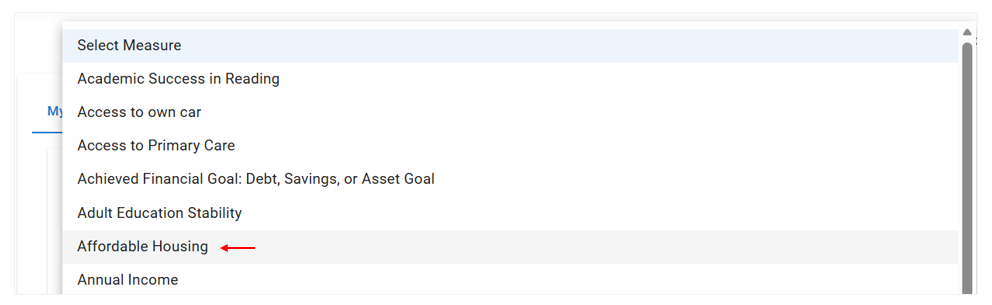
- Under Measure Filters, click the Measure drop-down menu, and then select the desired measure.
- Under the selected Measure, click the calendar icons to select the Earliest Score Date and/or Latest Score Date for the measure.
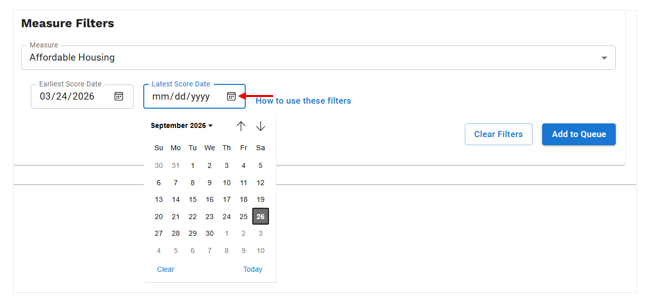
Note: You are not required to select an Earliest Score Data or Latest Score Date. To simply download all non-client program data for this measure, skip step 5. - Once you have selected the desired filters, click Add to Queue, and then the file downloads automatically when it is ready.