
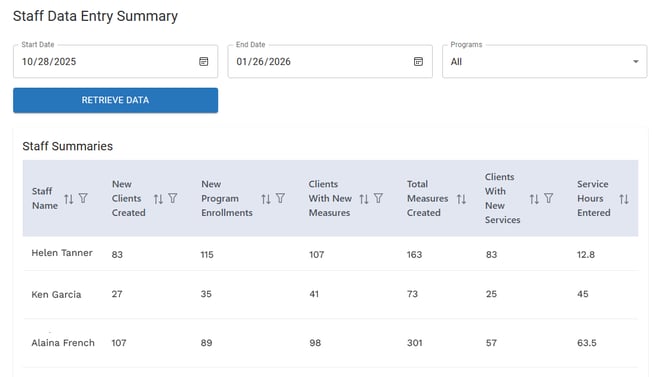
 The Staff Data Entry Summary includes the total number of new clients created, new program enrollments, clients with new measures, measures created, clients with new services, and total service hours recorded.
To view the Staff Data Entry Summary:
- On the SureImpact dashboard, click Analytics, and then select Staff Data Entry Summary.

- Enter the desired Start Date and End Date.
- Click the Programs drop-down menu and then specify the programs to include in the Staff Data Entry Summary. If you want to view a summary for all programs, you can skip this step because all programs are selected by default.
- Click Retrieve Data.