
There are four optional columns in Program Data template that are used to add data to clients: Client ID, Client First Name, Client Last Name, and Client Date of Birth.
If you provide a Client ID (the SureImpact ID), the import tool will match the client based on the Client ID.
If no Client ID is provided, the import tool will attempt to look up a client by First Name and Last name. If there is one matching client, it'll add the data to that client. If there are multiple matching clients, the import will then try to find a match with the specified date of birth.
- On the top navigation, click Programs.
- Click Import/Export Data.
- Click Bulk Import Program Data.
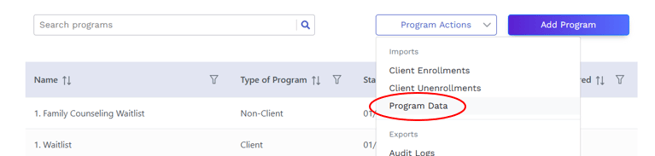
- In the Search measures field, enter the name of the desired measure, or click in the field to see a list of all measures.
- Select the desired measure.
- Select if the measure is a Client measure or a Non-Client.
- Under To bulk import measure data, you must use the template below, click Download Template.

- Once you have all of your data correctly entered in the template, click Choose File under Upload completed template.

- Attach the desired .xlsx file.
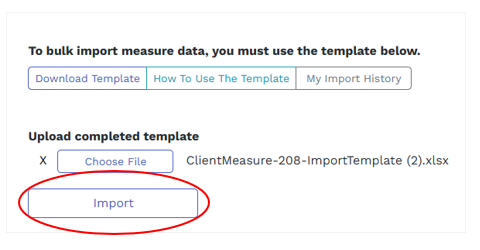
- Click Import.
Additional Notes
Based on user feedback, we have made the following enhancements to the process for uploading Measures:
- Measure imports files have been changed from .csv to .xlsx, allowing you to include special characters without any issues.
- The Measure ID field is no longer needed and is not in the template. If you use an old template and change the file extension to .xlsx, you will get an error if the Measure ID column is in the template.
- When importing measures for client programs, the system now checks for duplicates within the file, helping you avoid errors.
- Duplicate client measure data checks will now work even if you change the measure definition.