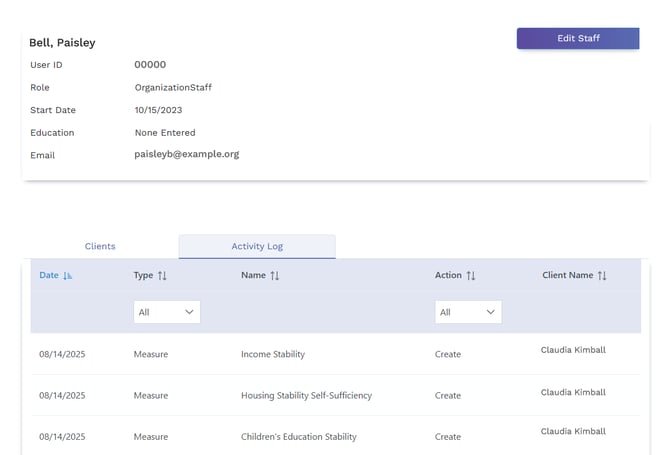
Staff are able to view their own activities in the Staff Activity Log.
Managers can view their own activities, and all of the activities of any Staff members assigned to them, and Staff can view their own activities.
Administrators can view the activities of all SureImpact users via the Staff Activity Log.
To open the Staff Activity Report:
- In the top navigation, click Staff.
- Select the desired Staff member.
- Click Activity Log.

Depending on your security role, you can now see:
- Administrator - All staff activities
- Manager - All of your own staff activities and the activities of any staff members assigned to you.
- Staff - All of your own staff activities.
You can use the Type filter to select if you want to see Client, Measure, Program, or Service activities. You can use the Action filter to view all of specific actions you took (Approve, Create, Delete, Update).